01
Review-ready candidates
Put candidates who meet configured criteria at recruiters’ fingertips.
Candidate evidence is surfaced after screening so the hiring team can review the context and decide who should move to a live conversation.

After recruiter review or the configured approval point, Zeenna can connect eligible candidates with real availability and answer their questions before, during, and after the interview.

From fit to booked
Recruiters review the evidence and decide who moves forward. Zeenna can then handle the coordination around the next conversation.
Put candidates who meet configured criteria at recruiters’ fingertips.
Candidate evidence is surfaced after screening so the hiring team can review the context and decide who should move to a live conversation.
Let eligible candidates choose from real interview availability.
Connect Google or Microsoft, define weekly availability and interview rules, then enable scheduling position by position.
Reduce scheduling calls and email back-and-forth.
Zeenna checks the slot again, creates the event and meeting link, sends email, SMS, and ICS confirmation, and manages configured reminders and changes.
Keep candidates informed before, during, and after the interview.
Zeenna can answer candidate questions across the interview journey, reducing uncertainty while recruiters stay focused on the human conversation and decision.
Follow the evidence, configured approval points, and scheduling step that connect an application to the next interview.
Interview scheduling
Connect your calendar, set interview availability, and choose how each position should be scheduled. Zeenna shows candidates only bookable times, creates the calendar event, and keeps everyone informed.
Connect Google or Microsoft, save weekly hours, and define the interview type, duration, buffers, notice, booking window, location, and reminders.
Enable the position and assign the interviewer. Offer booking automatically after enabled conditions pass, or send the invitation manually.
Candidates see live slots in their timezone. Zeenna checks the chosen time again, creates the event, and sends the confirmation.
From the completion screen or a secure link
Displayed in the candidate’s selected timezone
With the location or meeting link shown clearly
Use the same link to reschedule or cancel
All five setup items must be ready for a position to offer self-scheduling.
Your existing events stay private.
Zeenna reads free/busy availability only, not event titles, notes, or attendee details.
Configured next steps
Real availability can turn an approved screening outcome into a confirmed interview, with confirmations, reminders, and rescheduling kept inside the connected workflow.
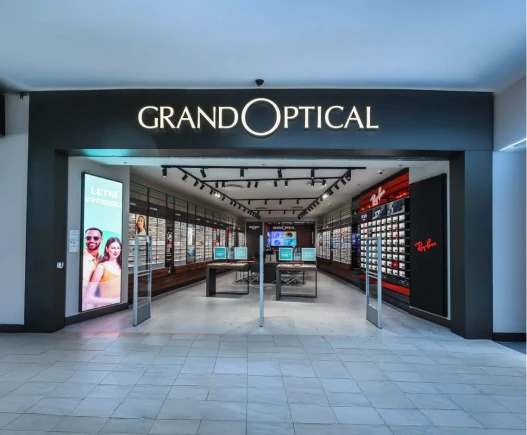
GrandOptical case study
Interview handoff questions
How eligibility, scheduling, candidate questions, reminders, and ATS continuity fit together.
Eligibility follows the conditions and approval points configured for the position. Booking can be offered automatically after enabled conditions pass, or a recruiter can send it manually.
Frequently asked questionsThe current scheduling setup supports Google and Microsoft calendars, with weekly availability and timezone saved for the interviewer.
Zeenna can show live availability, check the chosen slot again, create the calendar event and video meeting link, send email, SMS, and ICS confirmations, run configured reminders, and update reschedules or cancellations.
Yes. Zeenna can answer candidate questions before, during, and after the interview, so candidates can stay informed throughout the handoff and follow-up.
Free/busy availability only. Zeenna does not read event titles, notes, or attendee details.
Zeenna is designed to return candidate context and next-step information to the existing hiring workflow rather than creating a disconnected calendar process.
Review candidate questions, the approval point, availability rules, reminders, rescheduling, and ATS status for your workflow.
See Zeenna in action